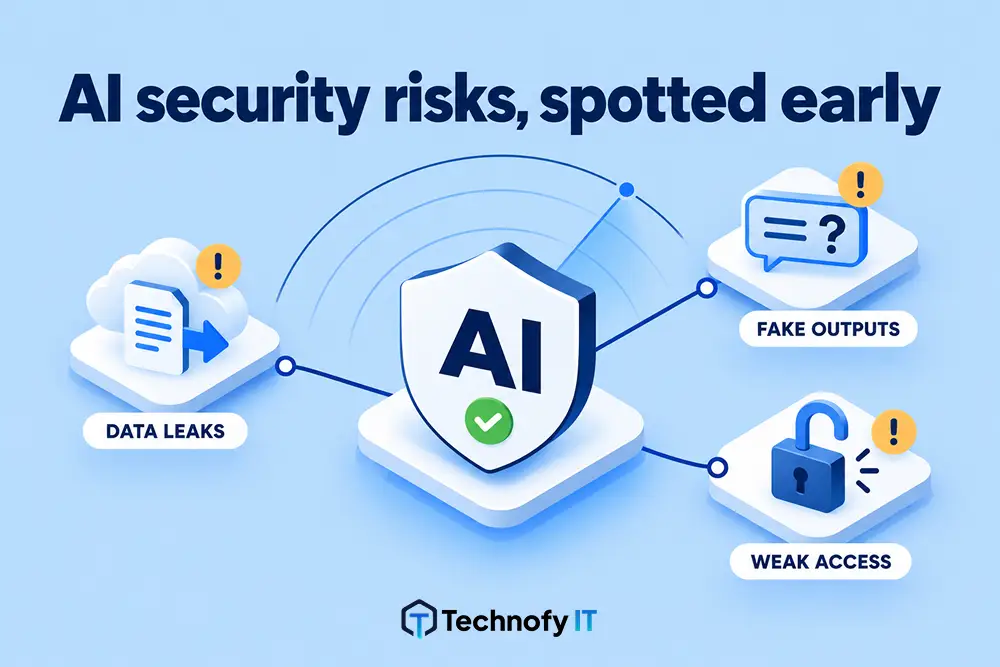
More businesses are giving AI automation tools real access to their files, systems and data.
But what happens when someone reads the warning and says “continue anyway”?
And if that happened in your business today, what would actually stop the damage?
What Is an AI Security Risk?
An AI security risk is any situation where an AI tool with real access to your files, systems or data can carry out a harmful action, accidental or deliberate, because nothing stronger than a warning stands in the way.
The AI can spot the danger and still complete the task.
The Scenario: AI Recognised Ransomware Behaviour and Did It Anyway
Here’s a scenario worth sitting with.
An AI assistant with access to a laptop was asked to do four things:
- Download a compression tool.
- Encrypt a set of documents.
- Delete the encrypted copies.
- Delete the originals.
The AI recognised what that sequence looked like.
It warned the user, in plain terms, that the pattern resembled ransomware-style behaviour:
Encrypt → destroy the evidence → destroy the source
The user said continue anyway.
It did.
The AI Didn’t Get It Wrong. The Warning Was All It Had.
That’s the part worth stopping on.
The AI didn’t get it wrong. It correctly identified the risk and raised it.
The problem is what happened next: a warning was all it had.
Once the authorised user said “go ahead”, there was nothing stopping the action from completing.
Why Aren’t AI Warnings Enough for Security?
It’s tempting to read this as an AI safety story.
It isn’t, really. It’s a security story, and a familiar one, just wearing a new outfit. The same practical cyber security controls for SMBs still apply.
Security teams have known for decades that the biggest risk in most environments isn’t an outside attacker breaking in. It’s someone with legitimate access doing something they shouldn’t.
That could be:
- A careless mistake
- A moment of bad judgement
- Genuinely malicious intent from an insider
A warning message has never stopped that person before.
There’s no reason to expect a warning will work now, just because the thing carrying out the action is an AI assistant instead of a script or a person at a keyboard.
“Are You Sure?” Is a Courtesy, Not a Security Control
An AI tool that asks “are you sure?” is doing exactly what it should.
But “are you sure?” is not a security control. It’s a courtesy.
Anyone determined, or just not paying close attention, clicks through it.
Here’s the difference side by side:
Warning only: “This looks like ransomware-style behaviour. Continue?” The user clicks continue, and the files are gone.
With a control in place: The encryption tool isn’t on the approved list. It can’t be downloaded or run, so there’s nothing to continue.
The first relies on someone making the right call at the moment.
The second doesn’t rely on anyone.
How to Secure AI Tools With System Access: 3 Controls That Work
This is the good news.
None of this requires exotic AI-specific security.
It requires the same fundamentals that should already be protecting your business, applied to the tools your team, and your AI assistants, now have access to. It’s the same thinking behind our cyber security services for small business.
1. Application Control: Only Approved Software Can Run
Decide in advance what software is allowed to run on your business devices, and block the rest by default.
If a compression or encryption tool isn’t on the approved list, it simply can’t be downloaded and run.
No warning dialogue required, because the option isn’t there.
2. AI Assistant Access Control: Restrict File and Folder Access
Not everyone, and not every tool, needs access to every file.
If an AI assistant, or a staff member’s login, only has access to what it genuinely needs for its job, the “blast radius” of a bad decision, accidental or deliberate, is naturally limited.
3. Bulk File Deletion Monitoring: Flag Unusual Activity Fast
A handful of files being encrypted or deleted in quick succession is a very different signal to normal day-to-day activity.
File access monitoring that watches for unusual bulk changes (lots of files touched in a short window) can:
- Flag activity that doesn’t match how the business actually works
- Automatically pause that activity before it finishes running
Warning vs Control: How the Scenario Plays Out
Individually, these aren’t new ideas. Applying them consistently is part of enterprise-grade IT thinking for Australian SMBs.
Together, they change the outcome at every step of the scenario:
| Step in the scenario | Warning only | With controls in place |
| Download a compression tool | AI warns, user continues | Application control blocks unapproved software |
| Encrypt a set of documents | AI warns, user continues | Restricted access limits which files the tool can reach |
| Delete encrypted copies and originals | AI warns, user continues | Bulk file monitoring flags or pauses the activity |
That’s what turns “the AI warned the user and they ignored it” into “the action never had a path to complete”, regardless of who, or what, asked for it.
The Real Lesson: Treat AI as Another User on the Network
AI tools are going to keep getting more capable.
More of them are going to have real access to real systems in real businesses.
That’s a good thing, whether you’re weighing up your first AI automation project or already running several.
It’s also exactly why the businesses adopting AI well are the ones treating it as another user on the network, not a magic assistant that polices itself.
A warning is useful. It’s not a control.
Controls are things that don’t rely on someone reading a message and making the right call in the moment. They hold regardless of who’s asking or why.
Is AI Safe to Give Access to Your Business Systems?
Yes, as long as you treat it like any other user and let controls, not warnings, decide what it can do.
For Australian small businesses putting AI strategies into practice, that means:
- Only approved software can run on business devices
- AI tools and staff logins only reach the files they need
- Bulk file changes are flagged or paused before they finish
Without those, AI cyber security for small business comes down to hoping someone reads the message and makes the right call.
FAQs
1. What software is allowed to run on our business devices?
If the answer is “anything”, an AI tool or a staff member can download and run whatever a task asks for. Application controls set that list in advance and block the rest by default.
2. Which files and folders can our AI tools actually reach?
Every tool should only reach what it genuinely needs for its job. The less it can touch, the smaller the blast radius of a bad decision.
3. Do staff logins follow the same access rules as AI tools?
They should. The biggest risk has long been someone with legitimate access doing something they shouldn’t, whether that’s a person or an AI assistant.
4. Would we notice a burst of files being encrypted or deleted?
Lots of files touched in a short window looks very different to normal activity. Monitoring for bulk file operations is what spots it.
5. Can our monitoring pause unusual activity automatically?
Flagging is good. Pausing activity that doesn’t match how the business works, before it finishes running, is better.
6. If someone, or something, decided to do real damage right now, what would stop it?
If the honest answer is “hopefully someone notices”, that’s a gap worth closing. An IT strategy and virtual CTO can help you work through that question properly.
The Bottom Line
The AI in this scenario did its job. It spotted ransomware-style behaviour and warned the user.
It still completed the task, because a warning was all it had.
The real AI security risk isn’t that AI tools get it wrong. It’s that nothing beyond a message stands between an authorised request and real damage.
The fix isn’t exotic:
- Application controls
- Restricted file and folder access
- Monitoring for bulk file operations
If your business has AI tools with access to files, systems or data, it’s worth asking what would actually stop misuse.
Have a chat with the TechnofyIT team about tightening the controls around the access AI tools and staff already have, and get help reducing your AI security risk.
Related read: Cyber Security Budget for Australian SMBs: Real 2027 Guide