Choosing your first AI automation project is the single biggest factor in whether small businesses succeed with AI, not the technology itself.
Most small businesses don’t fail at AI because the tech doesn’t work. They fail because they pick the wrong first project.
A demo looks impressive, someone gets excited, a “pilot” gets spun up, and six months later it’s quietly forgotten because nobody defined what success looked like, or the task it automated wasn’t actually costing the business much time to begin with.
That’s the pilot trap: activity that feels like progress but never turns into anything you can point to on the P&L.
Here’s how to avoid it.
Start With a Bottleneck, Not a Buzzword
Don’t start by asking, “What can AI do for us?”
Start by asking, “Where does time actually disappear in this business?”
That’s usually somewhere boring: quoting, scheduling, data entry between two systems that don’t talk to each other, or chasing information that should already be on file. It’s rarely the flashy stuff you see in vendor demos.
If you can’t name the specific task, the people who do it, and roughly how many hours a week it eats, you’re not ready to automate it.
You’re ready to guess, which is exactly how pilots stall.
Look for Messy Inputs, Not Just Repetitive Tasks
The bottlenecks worth automating first often involve unstructured data, the free-form stuff that doesn’t sit neatly in a spreadsheet.
A customer email describing a problem in their own words. A voice note from a driver. A photo of a damaged item. A scanned invoice.
This is where modern AI automation earns its keep: turning messy, human-written input into a clean, structured output, such as a quote, a ticket summary, or a categorised complaint, without someone manually re-typing it into the right fields first.
If your bottleneck involves staff reading, interpreting, and re-entering information by hand, that’s a strong candidate for a first project.
Pick Something You Can Measure in Weeks, Not Quarters
A good first AI automation project has a result you can point to within a month or two..
That could be:
- Faster turnaround time on quotes
- Hours saved per week
- Fewer follow-up phone calls
- Fewer manual data entries
If the payoff is vague or a year away, it’s the wrong first project, not because it isn’t valuable, but because you need an early win to justify the next one.
A Practical Example
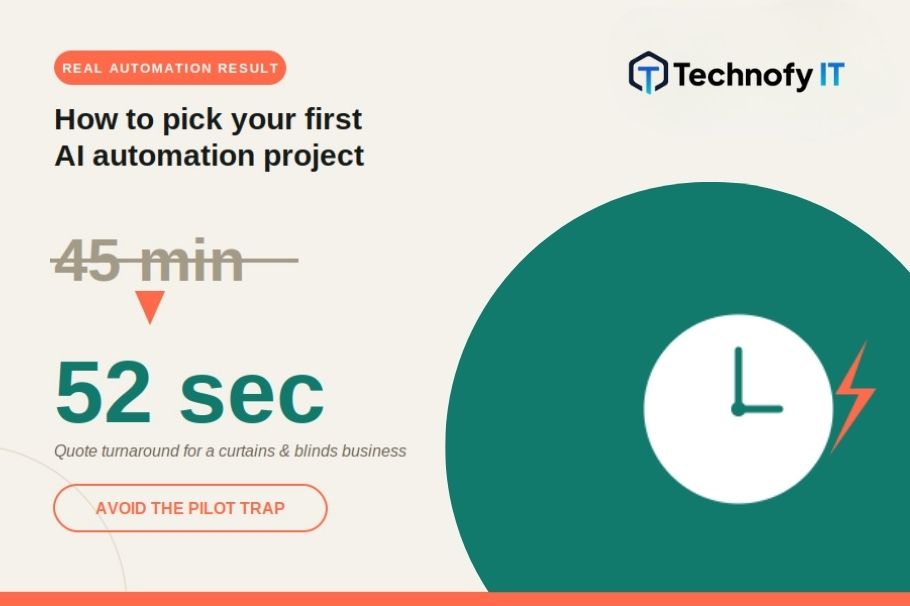
As an illustrative example, a trades business quoting curtains and blinds had a quote process that took around 45 minutes per customer. The process involved measuring a window, calculating fabric and hardware, and writing up the quote.
An automated quoting agent built around that same process brought the time down to under a minute.
It took a rough customer description and a few measurements and turned them into a structured, ready-to-send quote.
That’s the kind of result that’s easy to see, easy to explain to the team, and easy to build on.
Keep the First Project Small and Self-Contained
Resist the urge to automate the whole workflow at once.
Pick one task, with one clear input and one clear output, that doesn’t depend on three other systems being rebuilt first.
A narrow first project that actually ships beats an ambitious one that’s still “in progress” a year later.
This also makes the project easier to hand to someone specific to own, which matters more than most businesses expect.
Automation without an owner tends to quietly break and stay broken.
Use an AI Agent for the Easy Bit, With a Human Holding the Checkpoint
Most complex processes aren’t uniformly complex.
They’re usually a hard part and a much easier part bundled together, and it’s usually the easy part that’s quietly eating the most staff time.
A Practical Example
A courier-style business fielding delivery complaints might find two very different problems tangled into one workflow.
“Where’s my delivery?”
The system already knows why a delivery was delayed. The answer exists. Someone just has to find it and write it up.
“My item arrived missing or damaged.”
No clean answer exists yet. It needs judgement, investigation, and a real conversation.
Trying to automate both at once is how these projects stall.
The better move is to let an AI agent handle the easy bit, such as drafting a response to the delayed-delivery query using data that already exists, while a human stays in the loop as the approval checkpoint before anything goes back to the customer.
The agent drafts and processes. The person decides and sends.
Leave missing or damaged item complaints fully manual until the process and the data around them are mature enough to trust to automation too.
This does two things at once:
- Staff get their time back on repetitive queries where the answer already exists, so they can spend it on complaints that actually need a human.
- You’re proving value on the easy slice of the process while the harder slice continues to mature under human management.
The human-in-the-loop checkpoint also means nothing reaches a customer unchecked while you’re building trust in the system.
Ask What Happens When It’s Wrong
Before automating anything, ask what the cost is if it gets something wrong one time in twenty.
That answer should shape how much of a human checkpoint you build in from day one.
Low stakes and easily reversible: An internal draft or a first-pass summary may only need light-touch review.
Customer-facing or compliance-related: Keep a human approval step before anything goes external, at least until the agent has a reliable track record.
This isn’t a reason to avoid automation. It’s a reason to be deliberate about where the human checkpoint sits.
Your First Project Checklist
Before you commit to your first AI automation project, you should be able to answer all of these:
- What specific task are we automating, and who currently does it?
- Does it involve unstructured input, such as emails, voice notes, photos, or PDFs, that currently gets typed up by hand?
- Is there an easy slice and a hard slice, and can we automate just the easy one first, with a human approving the output?
- How will we know in four weeks whether this worked?
- What’s the cost of it getting something wrong, and where does the human checkpoint sit?
- Who owns this once it’s live, not just who built it?
If you’re struggling to answer even one, that’s worth sitting with before you spend anything on tooling.
The Real Trap Isn’t AI, It’s an Undefined Problem
The pilot trap isn’t really about artificial intelligence.
It’s what happens whenever a business invests in a solution before it’s clearly named the problem.
AI agents and human-in-the-loop checkpoints are genuinely capable, which makes it tempting to skip the boring step of defining what “working” actually means.
Don’t.
- Pick the boring bottleneck.
- Split the easy bit from the hard bit.
- Keep a human at the checkpoint.
- Measure it in weeks.
That’s the whole trick.
Not Sure Where to Start?
Not sure where your business’s first AI automation project should be?
That’s worth a conversation before any tooling gets chosen. Get in touch with the TechnofyIT team and we’ll help you find it.