No business has a line in the P&L called “typing things in twice.” The cost is real all the same. It’s spread across every person who copies a customer’s details from one screen to another, every hour spent working out which version of a number is right, and every meeting that opens with “I don’t think that report’s correct.”
That’s the silent tax of disconnected systems. You don’t get a bill for it. You pay it in time, mistakes and decisions made on guesswork.
What the Silent tax looks like day to day
Most SMBs don’t have one big integration problem. They have three small ones that compound.
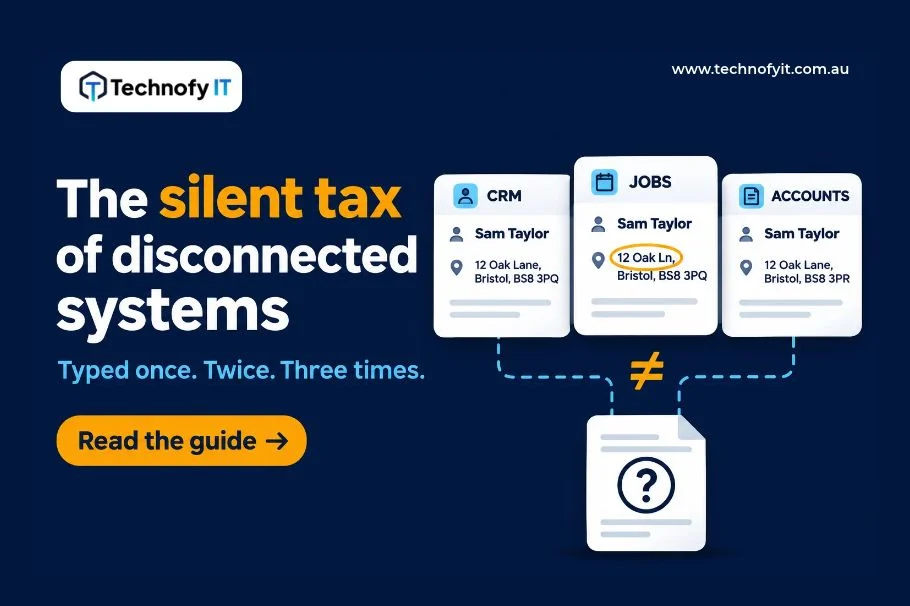
- Re-keying the same data. A new customer gets entered in the CRM, then again in the job or booking system, then again in Xero or MYOB when it’s time to invoice. Each entry takes a few minutes. Nobody notices, because it never shows up as a task. It’s just “how we do it here.”
- Records that disagree. Once the same information lives in three places, it starts to drift. A customer changes their address and only one system gets updated. A price changes in the quoting tool but not in the accounting file. Now you have two versions of the truth and someone has to work out which one is right, usually when a customer is already on the phone.
- Reports nobody trusts. When systems don’t agree, reporting turns into reconciliation. Someone exports from two places, pastes into a spreadsheet and adjusts until the numbers look sensible. The report gets produced, but the owner reads it with a mental asterisk. Decisions slow down, or get made on gut feel because the data feels unreliable.
Why it gets worse as you grow
At five staff, re-keying is a nuisance. At 30, it’s a structural cost.
Every new hire who touches customer or job data adds another set of hands doing double entry. Every new system you add (a booking tool, a scheduling app, an e-commerce platform) adds another place for records to drift. The usual fix is a “master spreadsheet” that one person maintains as the glue between systems. It works until that person is on leave at the busiest time of year.
Illustrative example: a 25-person service business with a CRM, a job management tool and Xero might enter the same customer details three times, and reconcile job status against invoices by hand every week. None of those steps feels expensive. Together they’re a part-time role nobody hired for.
Why it rarely gets fixed
Each system works well on its own. The CRM does CRM things and the accounting software does accounting things. The problem lives in the gap between them, and nobody owns the gap.
The cost is also spread thin. It’s five minutes here and ten there, across several people. Nothing breaks badly enough to force a decision, so the workaround becomes the process.
What fixing it actually involves
Connecting systems properly is not a plug-in you switch on. Done well, it looks like this:
- Decide the source of truth for each piece of data. Customer details might live in the CRM. Invoice status lives in the accounting system. Every field needs one home.
- Map the fields between systems. What one tool calls a “client,” another calls a “contact.” Getting this mapping right up front is where most of the value is.
- Agree how data moves. Which way, how often, and what happens when two systems disagree.
- Build the connection and test it against real records before anyone relies on it.
Because every business runs a different mix of systems, this is scoped work, not an off-the-shelf product. Anyone promising a fixed price before looking at your setup is guessing.
A five-minute self-check
You don’t need a consultant to work out whether you’re paying this tax. Try these:
- Count the entry points. How many times does a new customer’s name get typed into a system before their first invoice goes out? More than once is a sign.
- Pick a recent report. Ask who would sign off on its accuracy without checking it first. If the answer is “nobody,” that’s the cost showing up.
- Find the glue. Is there a spreadsheet or person whose main job is keeping two systems in line? That’s your integration layer. It just isn’t automated.
- Check for drift. Pull one customer record from two systems and compare them. Do they match?
If two or more of these ring true, connecting your systems is likely worth a closer look.
Where to start
Our team has spent more than 15 years integrating systems for organisations of every size, and we apply that same discipline at SMB scale. If you’re running two or more systems and keying the same data into each, have a look at our [Xero / MYOB Data Sync] entry in the Solution Library. Or get in touch for a chat about what connecting your setup would actually involve.
Related read: One-Page AI Policy