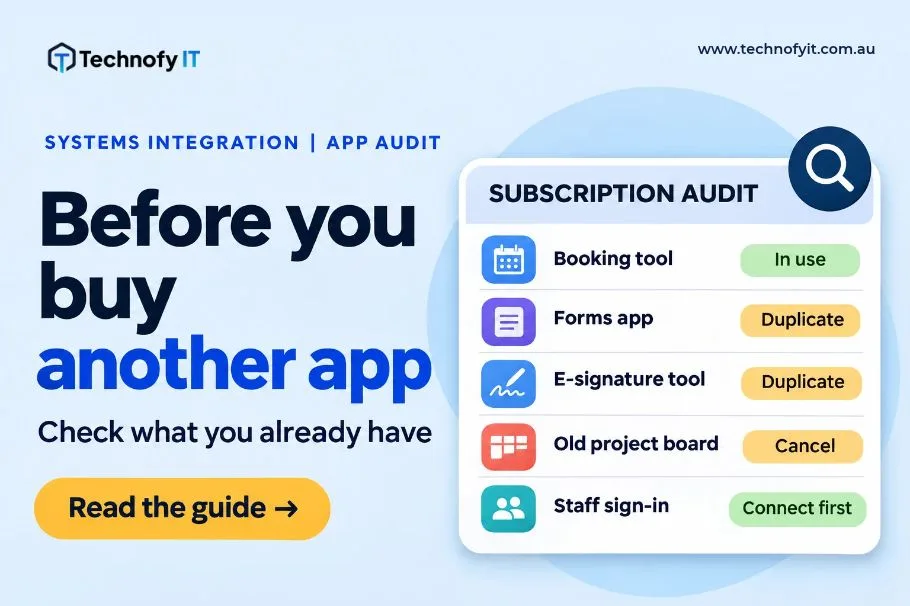
Most growing businesses don’t decide to run 25 different apps. It happens one sensible purchase at a time. Someone needed a booking tool, so they signed up. The sales team wanted a CRM, so they trialled one. Payroll moved to a new platform when the old one got clunky. Each decision made sense when it was made.
Three years later, you’re paying for a stack nobody fully understands. Customer details live in four places, and your office manager spends Friday afternoons copying numbers from one screen into another.
Before you add another subscription, it’s worth an afternoon working out what you already have.
Step 1: List everything you’re actually paying for
Start with the money, not the memory. Ask people what tools they use and they’ll forget half of them. Your statements won’t.
- Pull the last three months of business credit card and bank statements
- Check the subscriptions section of your accounting software
- Look for anything billed to a staff member’s personal card and claimed as an expense
For each tool, note four things: what it costs, who uses it, what information lives in it, and who would know the password if that person left tomorrow.
That last question tends to be the uncomfortable one. It’s also a security issue, not just an admin one.
Step 2: Find where your team is retyping data
This is the part that matters most. Every time a person copies information from one system into another, you’re paying twice: once for the software, and again for the time. Then there’s the occasional mistake that sends an invoice to the wrong address.
Ask your team a simple question: “What do you type in more than once?”
The common answers in a 20–50 person business tend to look like this:
- A new customer is entered in the CRM, then again in the accounting software
- A quote is accepted, then rebuilt as an invoice from scratch
- Timesheets are filled in one place and keyed into payroll somewhere else
- A website enquiry arrives by email and gets manually added to a spreadsheet
- A new starter needs accounts created in six separate systems, one at a time
Each of those is a candidate for integration. Not every one is worth fixing, but now you can see them.
Step 3: Check what your existing licences already include
Many businesses pay for a separate app to do something their main platform already does.
If you’re on Microsoft 365, for example, depending on your plan you may already have access to booking pages (Bookings), forms (Forms), task boards (Planner), simple workflow automation (Power Automate) and, on Business Premium, device management and endpoint security. Google Workspace has its own equivalents.
Inclusions vary by plan and change over time, so check what your specific licence covers before assuming. But it’s common to find a business paying for a standalone scheduling tool, a forms tool and an e-signature tool when one or two of those could be retired.
Which tools should talk to each other first
Once you’ve got your list, resist the urge to connect everything at once. Prioritise by how often the data moves and how much it costs when it’s wrong.
- Your sign-in (identity) and everything else.
If staff log into each app with a separate username and password, start here. Connecting your apps to your Microsoft 365 or Google accounts means one place to switch someone off when they leave. It’s the integration with the biggest security payoff, and it makes onboarding and offboarding far less painful. - Your CRM or job system and your accounting software.
Customer records and quotes flowing straight into invoices removes the most common double-handling in the business. It also means your sales numbers and your finance numbers finally agree. - Timesheets or job management and payroll.
If hours are recorded in one place and paid from another, a direct link saves time every pay cycle and reduces the disputes that come from keying errors. - Your website and your CRM.
Enquiries should land somewhere they get tracked and followed up, not in someone’s inbox where they can get lost.
What to leave alone
Not every app needs connecting. A tool used by one person, for one task, that doesn’t share data with anything else is usually fine as it is. Integration costs time and money to build and maintain. Spend it where data moves often and mistakes are expensive.
You’ll probably also find a few tools to cancel outright. That’s a win in itself.
The practical takeaway
Before you buy the next app, do three things:
- List every subscription from your statements, not from memory
- Ask your team what they type in more than once
- Check whether a licence you already pay for covers the gap
You may find you don’t need anything new. You may just need the tools you already own to start talking to each other.
Related read: Disconnected Systems Are the Silent Tax


